3D Exercise 106
- Breno Cruz

- Feb 8
- 2 min read
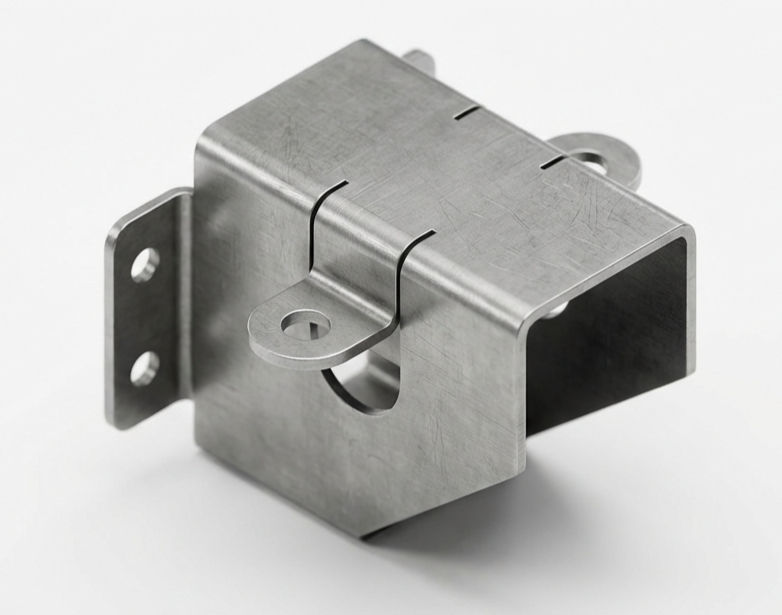
In this CAD tutorial we'll use the features:
1. Sheet Metal Rule (The Foundation)
Definition: The "Master Settings" for your part. How it works:
Crucial First Step: Before you draw anything, you must select a rule (e.g., "Aluminum 2mm" or "Steel 14ga").
Why it matters: It defines the Thickness of the material and the K-Factor (how much the metal stretches when bent). If you change the rule later, the entire 3D model updates instantly to the new thickness.
2. Extrude (Base Flange)
Definition: Creates the initial flat piece of metal. How it works:
The Difference: Unlike a Solid Extrude, you do not type a thickness distance. You just select a closed sketch profile, and Fusion automatically applies the thickness from your Sheet Metal Rule. Best for: Creating the starting "plate" or base of your bracket.
3. Flange
Definition: The primary tool for adding walls. It creates a bent wall extending from an edge. How it works:
The Magic: You simply click an edge of your base plate and drag a blue arrow up. Fusion automatically adds the metal wall and the correct Bend Radius in the corner.
Power: You can drag flanges off of other flanges to create complex boxes instantly. Best for: Building the walls of an enclosure or bracket.
4. Bend
Definition: Bends a flat sheet along a sketch line. How it works:
Scenario: You have a long flat strip, and you want to bend it in the middle (like a hinge).
Action: Draw a line across the face. Select Bend, click the line, and set the angle (e.g., 90°). Best for: Bending internal parts of a sheet where there is no edge to grab.
5. Unfold / Refold
Definition: Temporarily flattens the 3D part so you can work on it, then folds it back up. How it works:
The Problem: You need to cut a ventilation slot that wraps over a bent corner. You cannot sketch on a curved bend.
The Solution: Click Unfold. Select a stationary face. The part flattens out completely. You cut your slot across the flat bend zone. Then you click Refold, and the part snaps back to 3D, warping your slot perfectly around the curve. Best for: Cutting features that cross over bends.
6. Fillet (Corner)
Definition: Rounds off sharp corners on the flat edges. How it works:
Safety: Sheet metal creates razor-sharp corners. You use 2-corner fillets to round them off so the manufacturer doesn't cut their hands. Best for: Finishing the edges of the flat pattern.
All dimensions are in mm/g/s/ISO
3D Sketch

Exercise 106 - 3D practice drawing for all CAD software ( AutoCAD, SolidWorks, 3DS Max, Autodesk Inventor, Fusion 360, CATIA, Creo Parametric, SolidEdge etc.)
Tip: Subscribe to the channel for more tutorials like this.
Tutorial In Autodesk Fusion: https://youtu.be/Z2C0Oc83VYc


Comments