3D Exercise 127

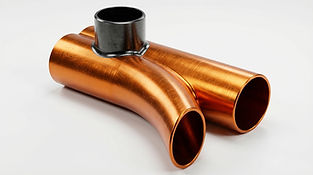
In this CAD tutorial we'll use the features:
1. Offset Plane
Before you can even begin the main feature, you often need this to set up your foundational geometry.
The Setup: To create a complex sweep, you need a 2D profile and a path. If you have a 3D spline acting as your path, you need a sketching surface that is perfectly perpendicular to the end of that line. An Offset Plane (or specifically, a "Plane Along Path") gives you that exact canvas.
2. Sweep
This takes over where a standard Extrude falls short, allowing you to create flowing, continuous curves.
Function: You take the 2D cross-section (sketched on your new plane) and drive it along your drawn path.
Mechanism Application: This is the core command for modeling the spiraling volute of a pump housing, a heavy-duty spring, or the main body of a curved manifold.
3. Extrude
Once the complex swept body is generated, you bring in the Extrude command to build the structural, flat mounting points.
Function: You sketch on the flat ends of your swept body and extrude solid blocks to act as mating flanges. This ensures the curved component can actually be bolted to the rest of the assembly.
4. Shell
Instead of trying to sweep a hollow pipe from the start (which can sometimes cause the software to self-intersect and fail on tight radii), you build the entire complex shape as a solid block first, then use Shell.
Function: By selecting the flat faces of your newly extruded flanges, the Shell command hollows out the entire part. It navigates all the complex swept curves automatically, leaving a perfectly uniform wall thickness for fluid or air to flow through.
5. Fillet
Applied at the very end, this step ensures structural integrity and realistic manufacturability.
Stress Relief: The sharp 90-degree intersection where your bulky extruded flanges meet your thin-walled swept body is a prime location for mechanical failure under vibration or pressure. A generous fillet here distributes that stress.
Order of Operations: Applying this fillet after the Shell command ensures it remains a solid chunk of reinforcing material on the outside, rather than being hollowed out internally by the shell operation.
All dimensions are in mm/g/s/ISO
3D Sketch

Exercise 127 - 3D practice drawing for all CAD software ( AutoCAD, SolidWorks, 3DS Max, Autodesk Inventor, Fusion 360, CATIA, Creo Parametric, SolidEdge etc.)
Tip: Subscribe to the channel for more tutorials like this.
Tutorial In Autodesk Fusion: https://youtu.be/R170Ntc1mF4


Comments