3D Exercise 150
- Breno Cruz

- 23 hours ago
- 1 min read
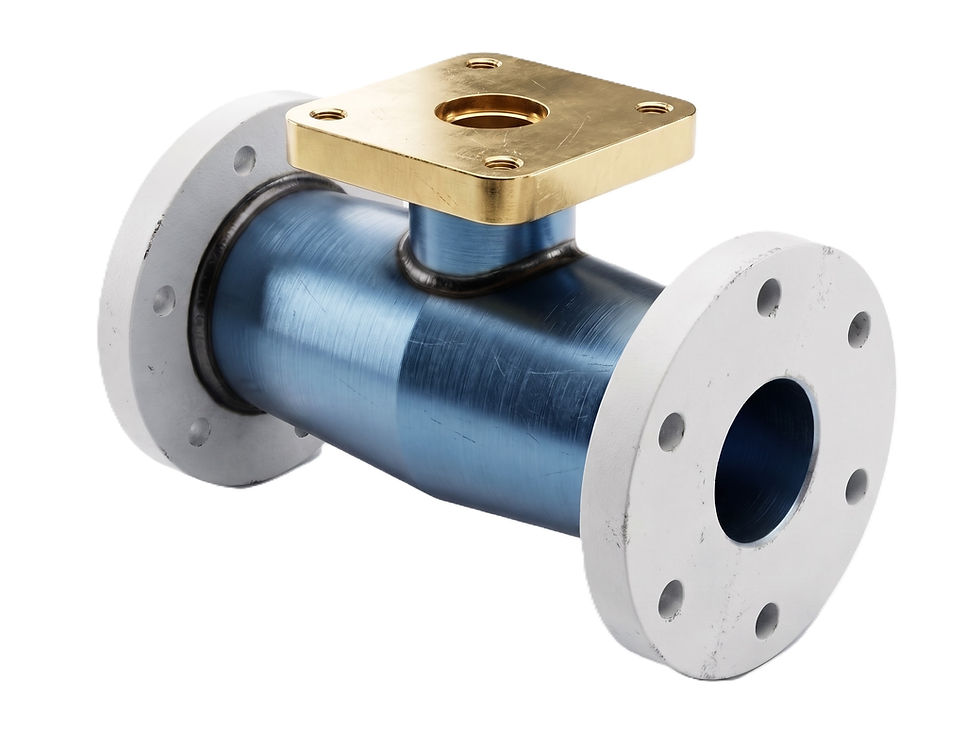
Features used to make this exercise:
In this CAD tutorial we'll use the features:
Sketch – Draw the 2D profile of the stepped pulley using circles and construction geometry.
Revolve – Create the 3D body by revolving the profile around the center axis.
Fillet – Round sharp edges between pulley steps for smoother belt contact.
Chamfer – Add precise angled cuts for a clean and realistic look.
Extrude – Remove material to create the central shaft hole or keyway.
All dimensions are in mm/g/s/ISO
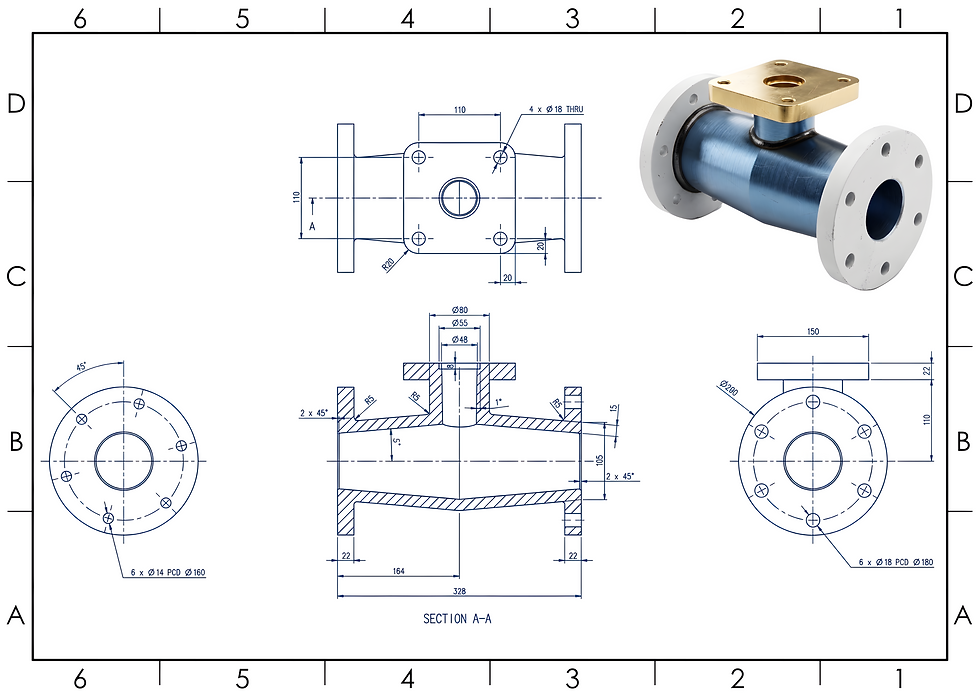
2D Sketch
Tip: Subscribe to the channel for more tutorials like this.
Tutorial In Autodesk Fusion: https://youtu.be/82GMytDBRJA


Comments