3D Exercise 157

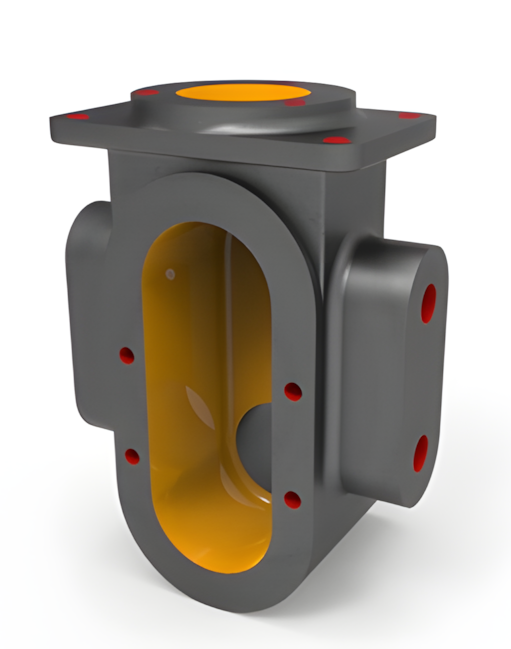
Features used to make this exercise:
In this CAD tutorial we'll use the features:
1. Extrude — Creates the main geometric shapes of the housing, including the main body, mounting flange, and internal bore. Best for building up the base casting shape step by step, following the drawing's cross-sections.
2. Hole — Adds the precise mounting and threaded holes shown in the drawing, such as the M6-6H, M5-6H, and M10-6H bolt holes, plus the Ø17H7 and Ø52H7 precision bores for shafts and bearings.
3. Mirror — Duplicates symmetrical features across a plane, such as the bolt hole patterns on the flange, saving time and ensuring perfect symmetry with the drawing's dimensions.
4. Fillet — Rounds internal and external edges (like the R6, R12, R16, and R26 radii called out in the drawing) — essential for a cast part, since sharp corners cause casting defects and stress concentrations.
All dimensions are in mm/g/s/ISO
2D Sketch

Tip: Subscribe to the channel for more tutorials like this.
Tutorial In Autodesk Fusion: https://youtu.be/bEuL9GXB3T8
Tutorial in FreeCAD:


Comments